Tour

Every screen, in light and dark.

Each image below is a real capture of Docent's review app over five invented episodes about StrataForge Robotics, a fictional company. The episodes were written into a throwaway folder, and the pictures, film frames, and thumbnail in them were drawn by a script for this tour: none is a photograph, and none shows a person. The capture had no model key and no network, so nothing was researched, narrated, or uploaded. Switch the site theme and the screenshots follow.

Illustration: an empty archive reading room at night, a long wooden table with blank folders and sheets of paper under a brass lamp with a warm amber shade.

Episodes

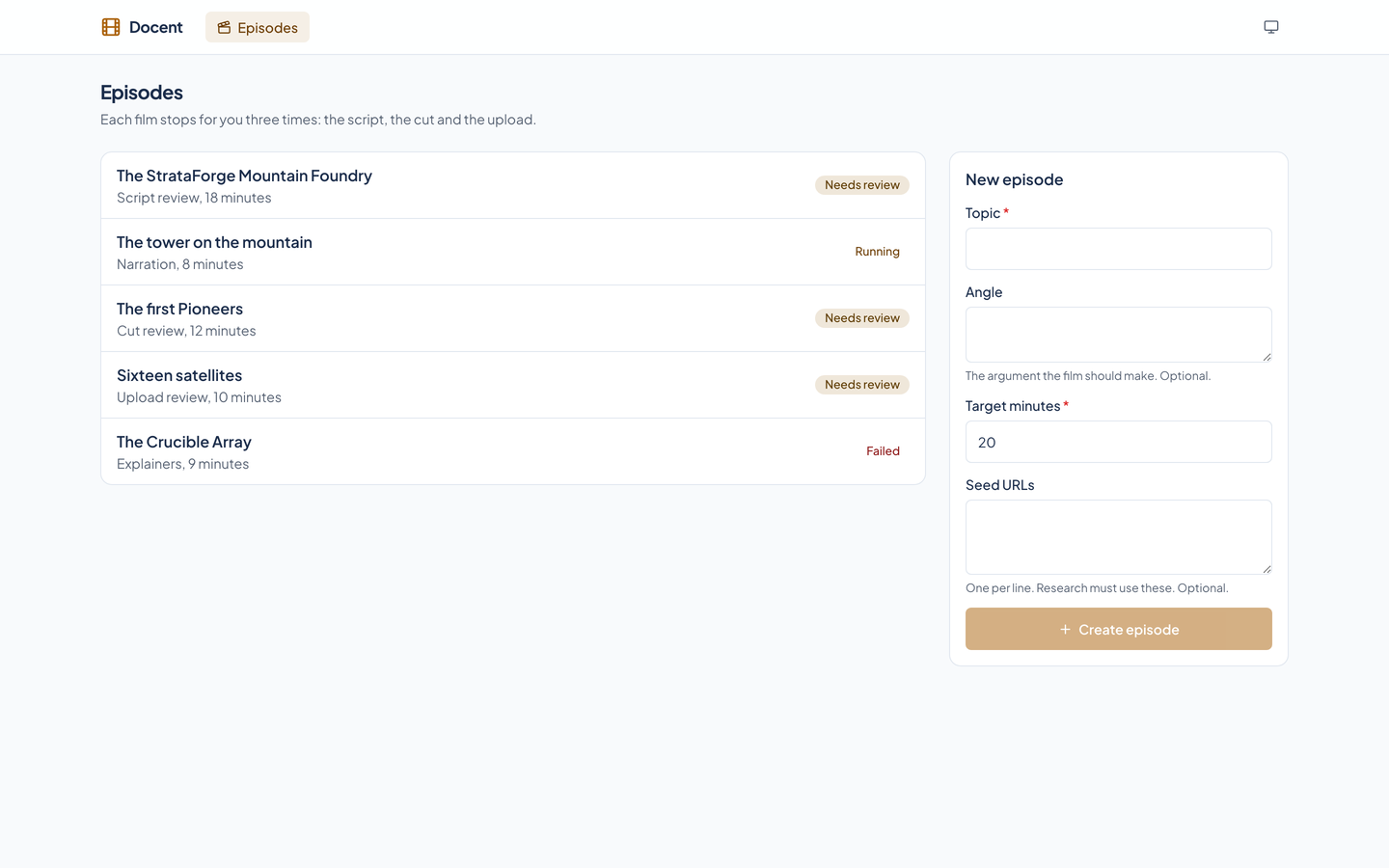
Docent's episode list: five episodes about a fictional company, each with its stage and a status badge, beside a form for a new episode with a topic, an angle, a target length, and seed URLs.Docent's episode list: five episodes about a fictional company, each with its stage and a status badge, beside a form for a new episode with a topic, an angle, a target length, and seed URLs.
Each film is an episode at one stage. This list shows five at different points: one waiting at script review, one running, one at cut review, one at upload review, and one that failed. The form on the right starts a new one from a topic, an angle, a target length, and seed addresses.

A script under review

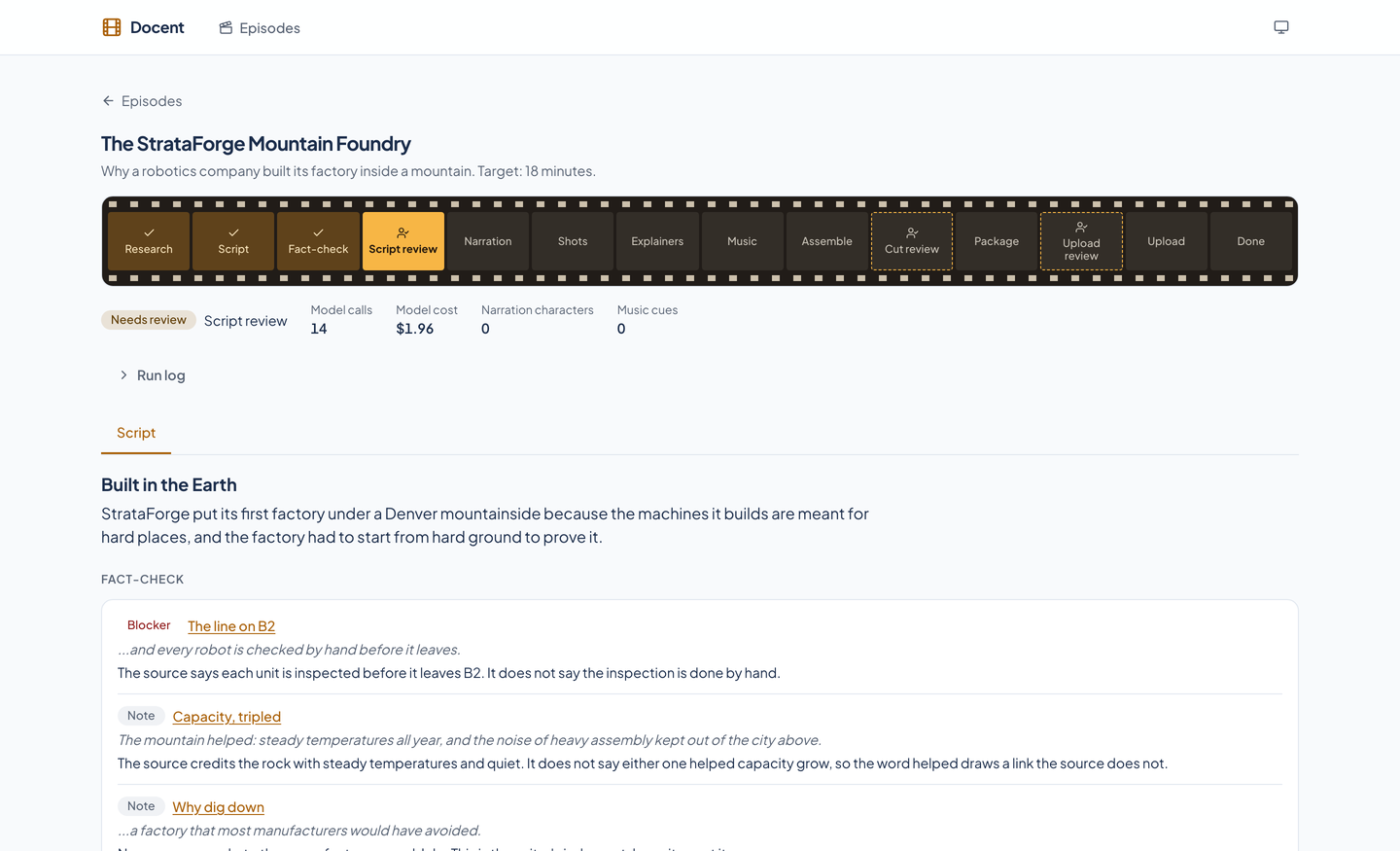
A script under review: the strip of stages with Script review highlighted, a status of Needs review, the spend so far, and a fact-check card with one blocker and two notes, each naming the scene and the sentence it concerns.A script under review: the strip of stages with Script review highlighted, a status of Needs review, the spend so far, and a fact-check card with one blocker and two notes, each naming the scene and the sentence it concerns.
The strip of stages shows where the episode is, the three gates drawn with a dashed edge. Above the scenes sits the fact-check: one blocker, which holds the gate until it is acknowledged, and two notes.

A scene and its claims

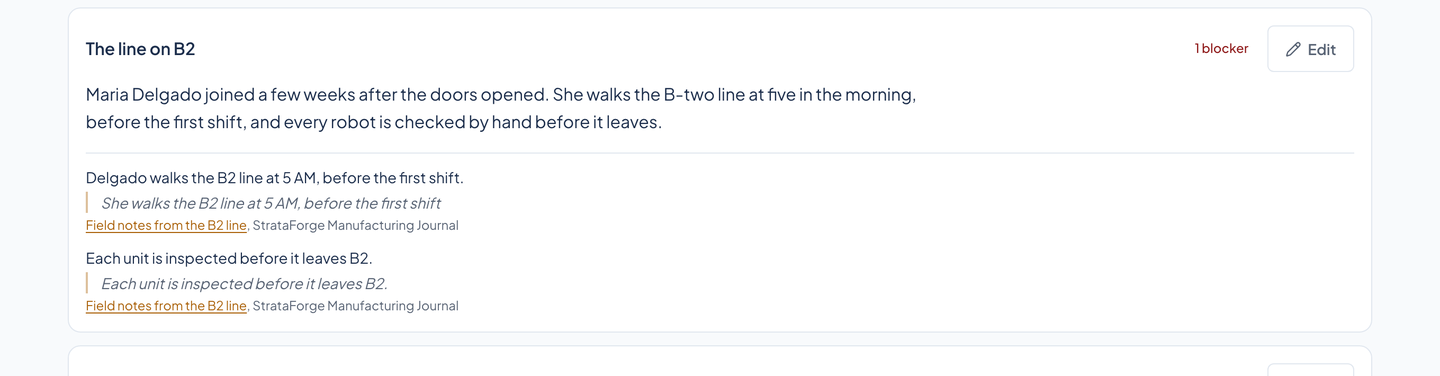
One scene of a script: its narration, then each claim it makes with the word-for-word quote from a stored source underneath and a link to that source. The scene carries a badge reading 1 blocker.One scene of a script: its narration, then each claim it makes with the word-for-word quote from a stored source underneath and a link to that source. The scene carries a badge reading 1 blocker.
Each claim the narration makes sits under it with the exact words it quotes and a link to the stored source. The badge says this scene carries one blocker, and Edit changes its narration.

The script gate

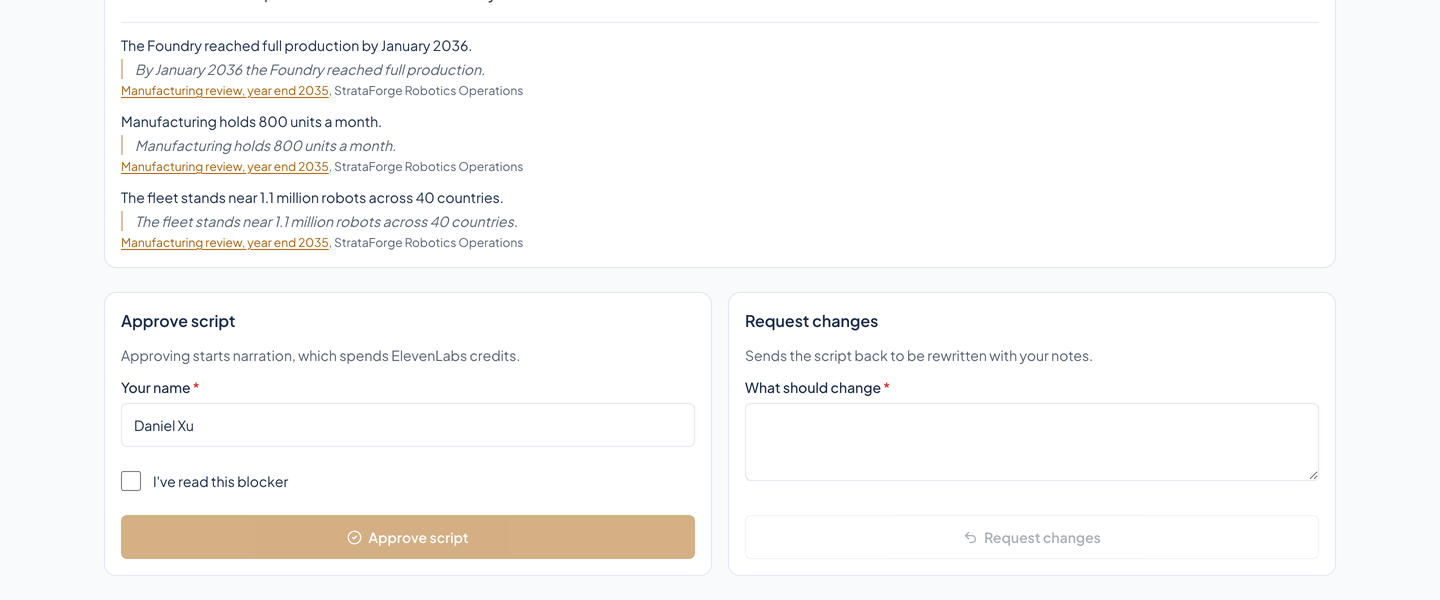
The script review panel: an Approve script card with the reviewer's name and a checkbox to say the blocker has been read, and a Request changes card with a box for notes.The script review panel: an Approve script card with the reviewer's name and a checkbox to say the blocker has been read, and a Request changes card with a box for notes.
Approving needs a reviewer's name and, with a blocker open, a tick to say it has been read. Approving starts narration, which spends credits. The other card sends the script back with notes.

The shot plan

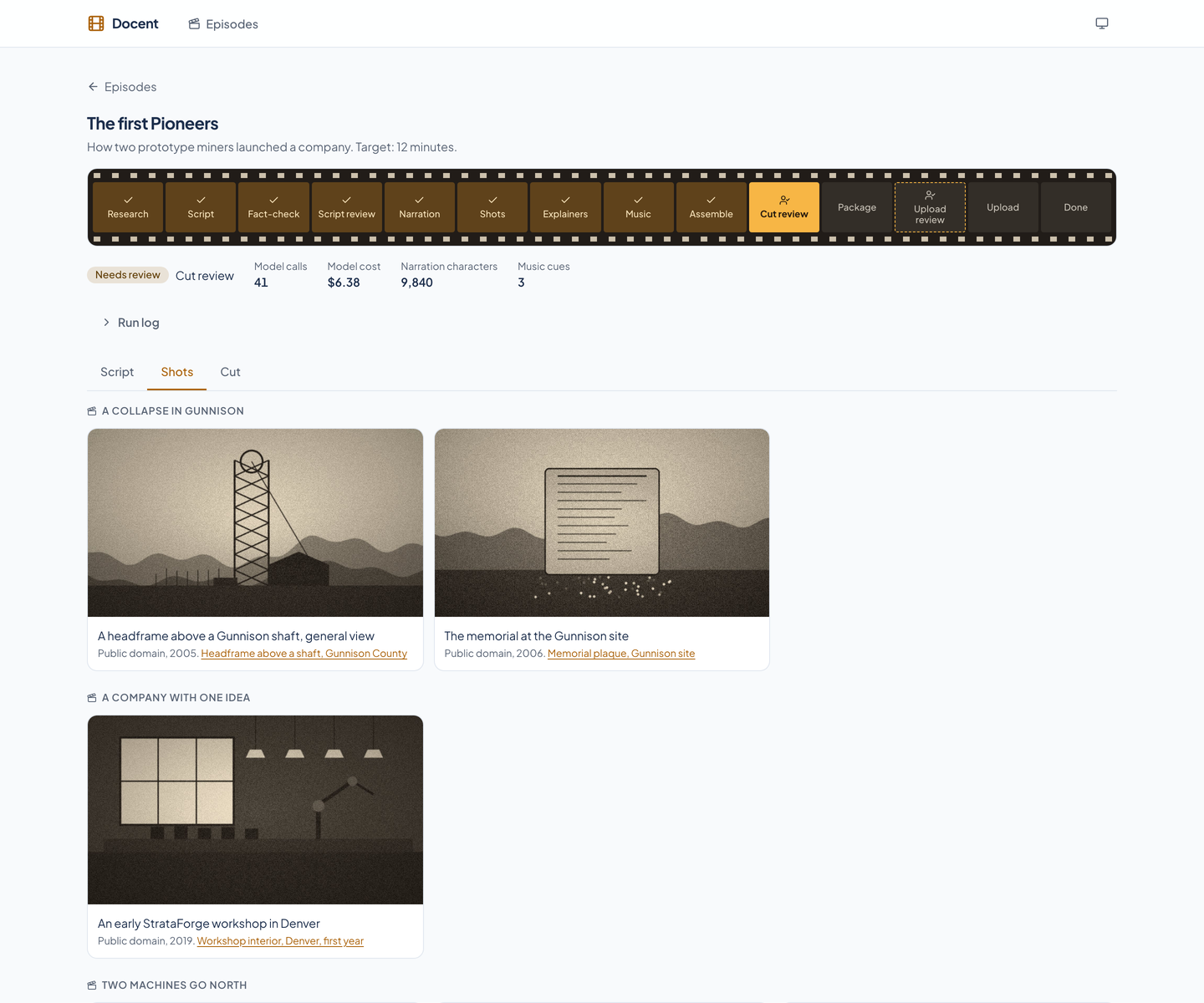
The shot plan for a documentary at cut review: scenes with a drawn still, a film clip, or an animated explainer for each beat, and under every picture its caption, its license, and a link to its record.The shot plan for a documentary at cut review: scenes with a drawn still, a film clip, or an animated explainer for each beat, and under every picture its caption, its license, and a link to its record.
A documentary at cut review, scene by scene: a still, a film clip, or an animated explainer for each beat, and under every picture its caption, its license, and a link to its record. The pictures here are drawings made for this tour.

Cut review

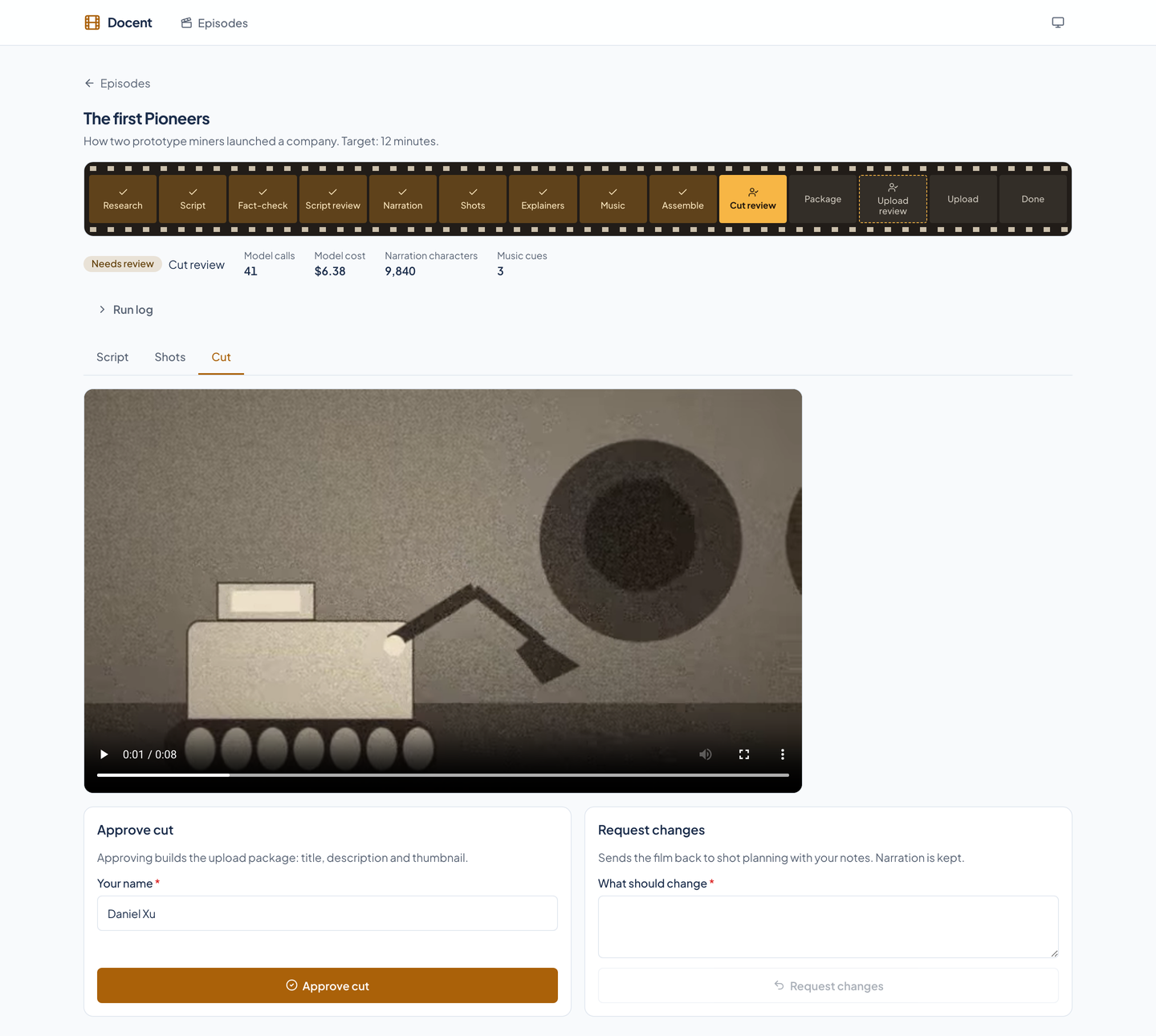
The cut review: a video player showing the finished film's first frame, with an Approve cut card and a Request changes card below it.The cut review: a video player showing the finished film's first frame, with an Approve cut card and a Request changes card below it.
The finished film in a player, with the approval and the request for changes under it. Approving builds the upload package; requesting changes goes back to shot planning and keeps the narration.

The upload package

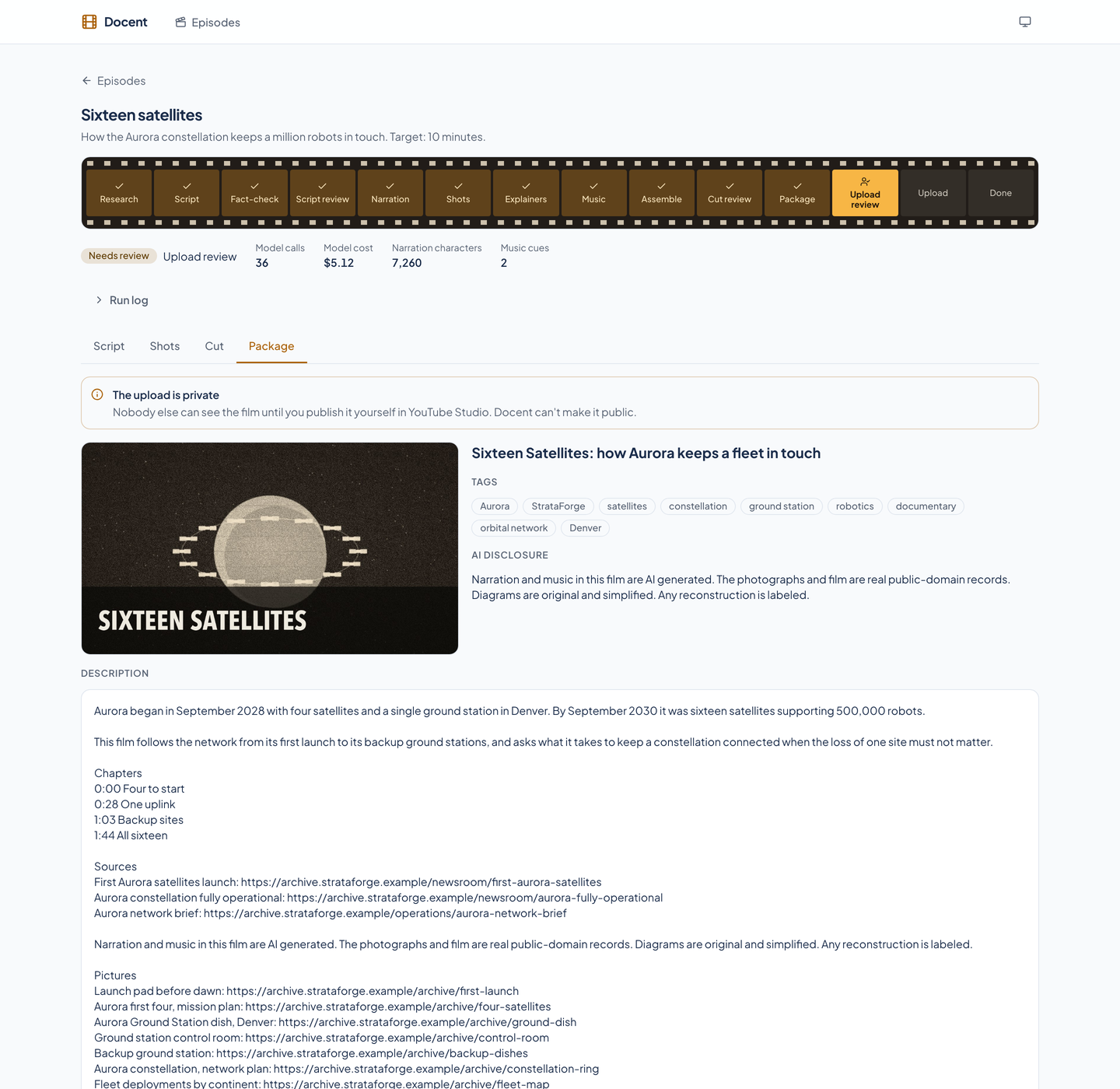
The upload package for a documentary: a thumbnail, a title, tags, the AI disclosure, a description with chapters, sources, and picture credits, and an Approve upload card. A banner says the upload is private.The upload package for a documentary: a thumbnail, a title, tags, the AI disclosure, a description with chapters, sources, and picture credits, and an Approve upload card. A banner says the upload is private.
A thumbnail, a title, tags, the AI disclosure, and a description with chapters, sources, and picture credits. The banner says the upload is private and that only a person can publish it.

A run in progress

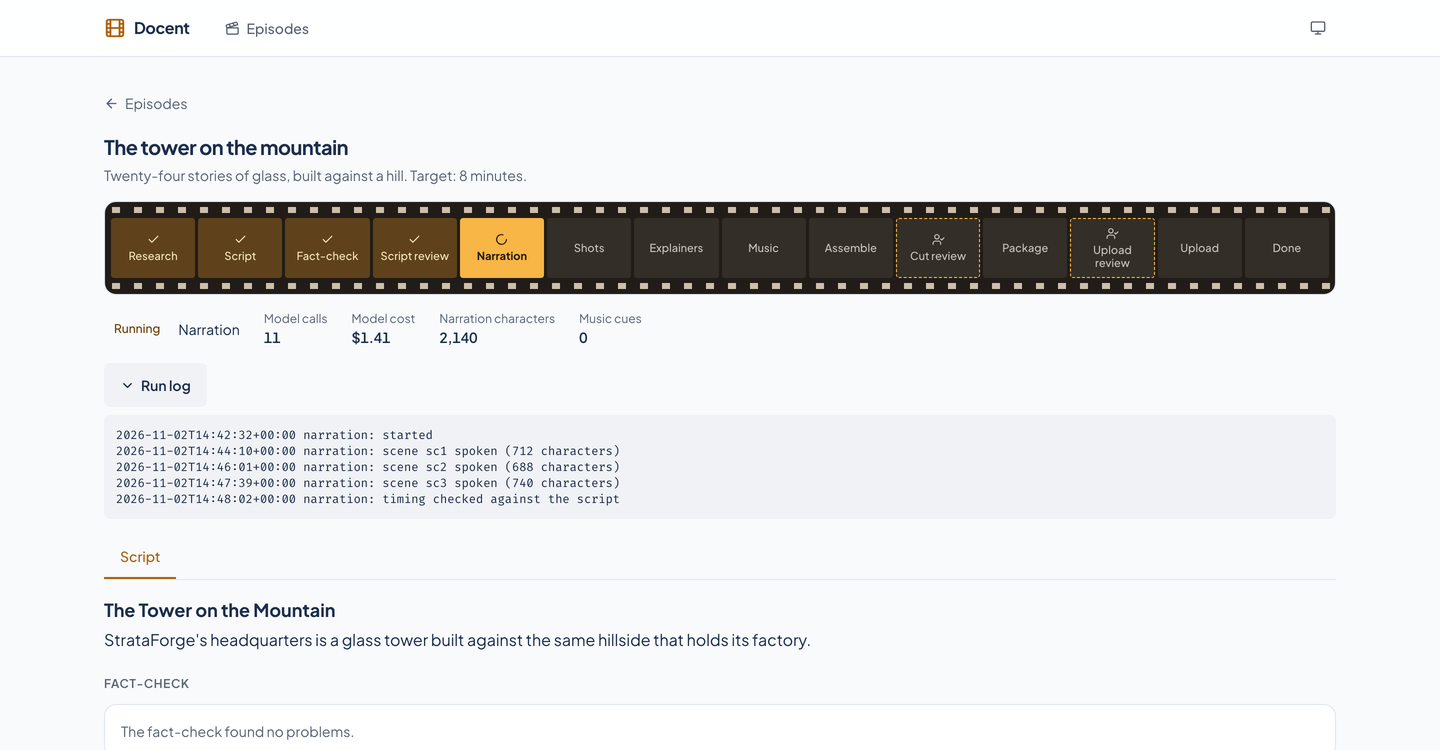
An episode that is running: the strip of stages with Narration in progress, a Running badge, the spend so far, and the run log open with lines for each scene spoken.An episode that is running: the strip of stages with Narration in progress, a Running badge, the spend so far, and the run log open with lines for each scene spoken.
The episode is narrating. The badge says Running, the page shows the model calls, cost, narration characters, and music cues so far, and the run log lists each scene as it is spoken.

A failed stage

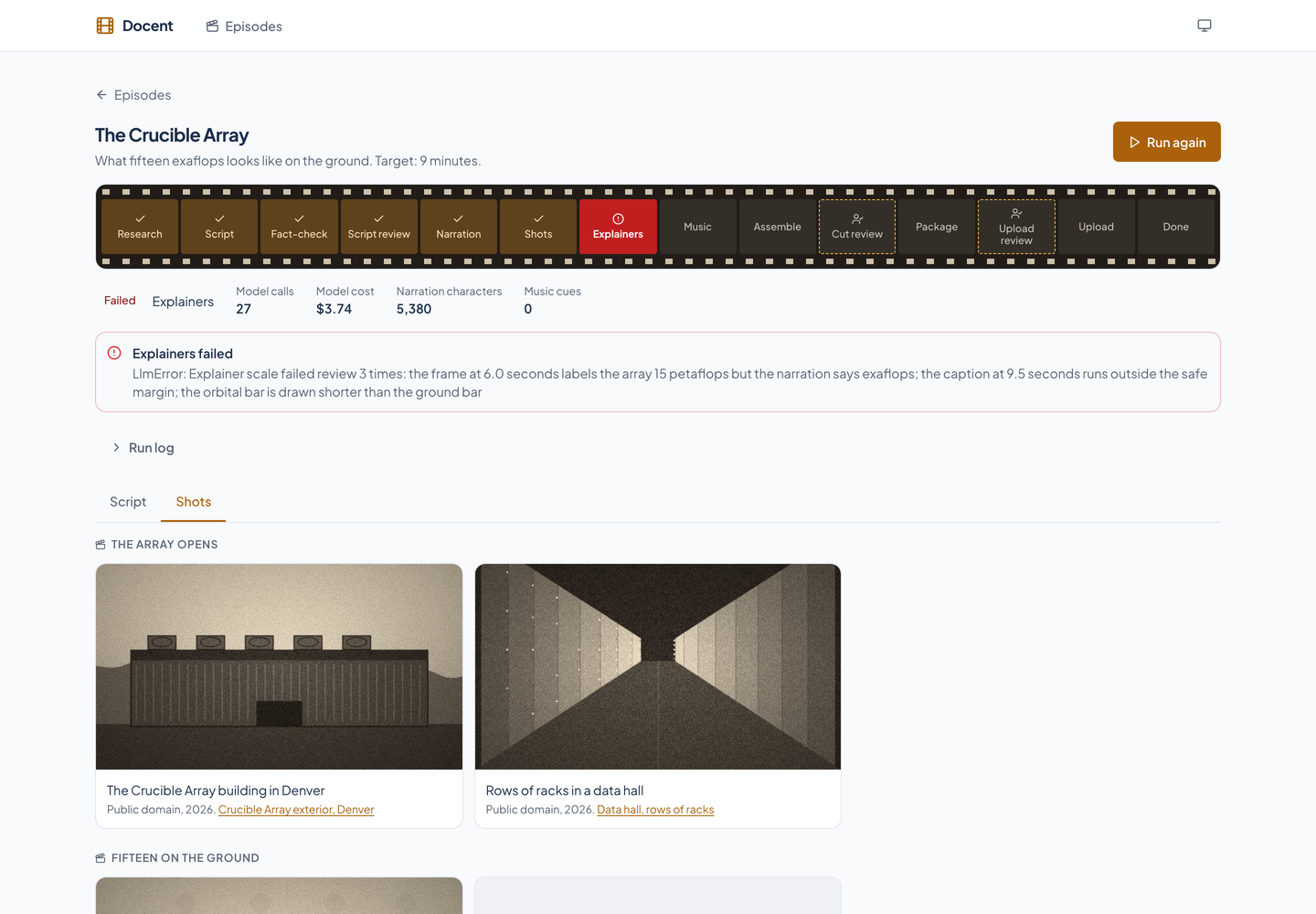
A failed episode: the strip of stages with Explainers in red, a banner giving the reason in plain words, a Run again button, and the shot plan the run had already finished.A failed episode: the strip of stages with Explainers in red, a banner giving the reason in plain words, a Run again button, and the shot plan the run had already finished.
The explainers stage failed review three times, so the episode stays there with the reason in plain words and a Run again button. The shot plan the run had already finished is still on the page.