
A film with an argument, and a person at the three points that matter.
Give Docent a topic. It writes a script in which every claim quotes a stored source, makes the film, and stops for you to approve the script, the cut, and the upload.
Internal to Renkara. Docent is a tool Renkara Media Group builds and runs for itself. It is not for sale, and there is nothing to buy or join.
A documentary, from a topic to a private upload.
Docent is a review app, a command line, and an MCP server over one pipeline. Docent is internal to Renkara and is not offered for sale; this site shows what it does and how it is built. The people, places, and company on these pages are fictional, and every screen is a capture of the running app. These are the things it does.
Claims that quote their sources
A brief, not a prompt
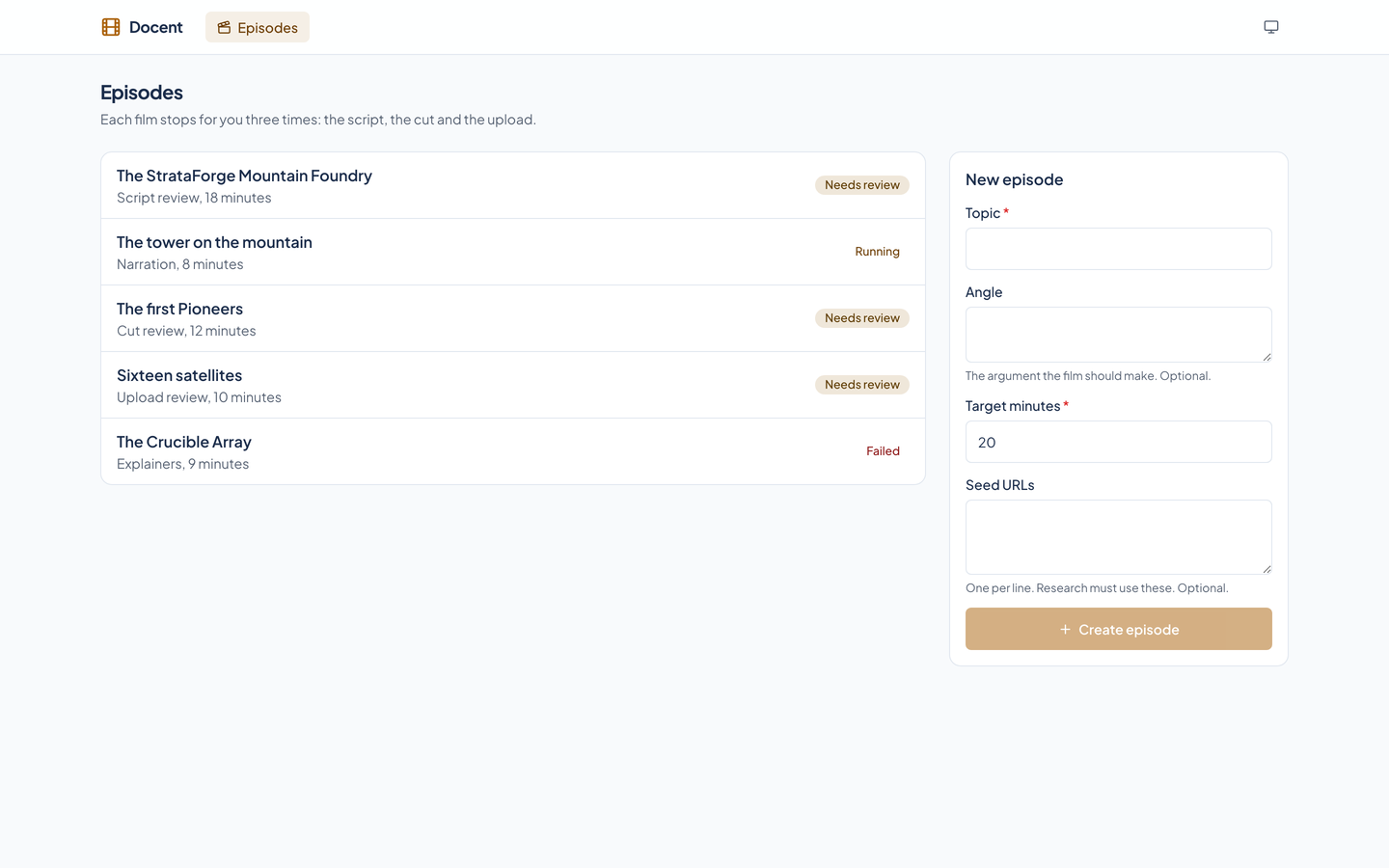
An episode starts from a topic, an optional angle (the argument the film should make), a target length from 2 to 90 minutes, and up to 30 optional source addresses. Nothing runs until someone starts it.
A second reader checks support
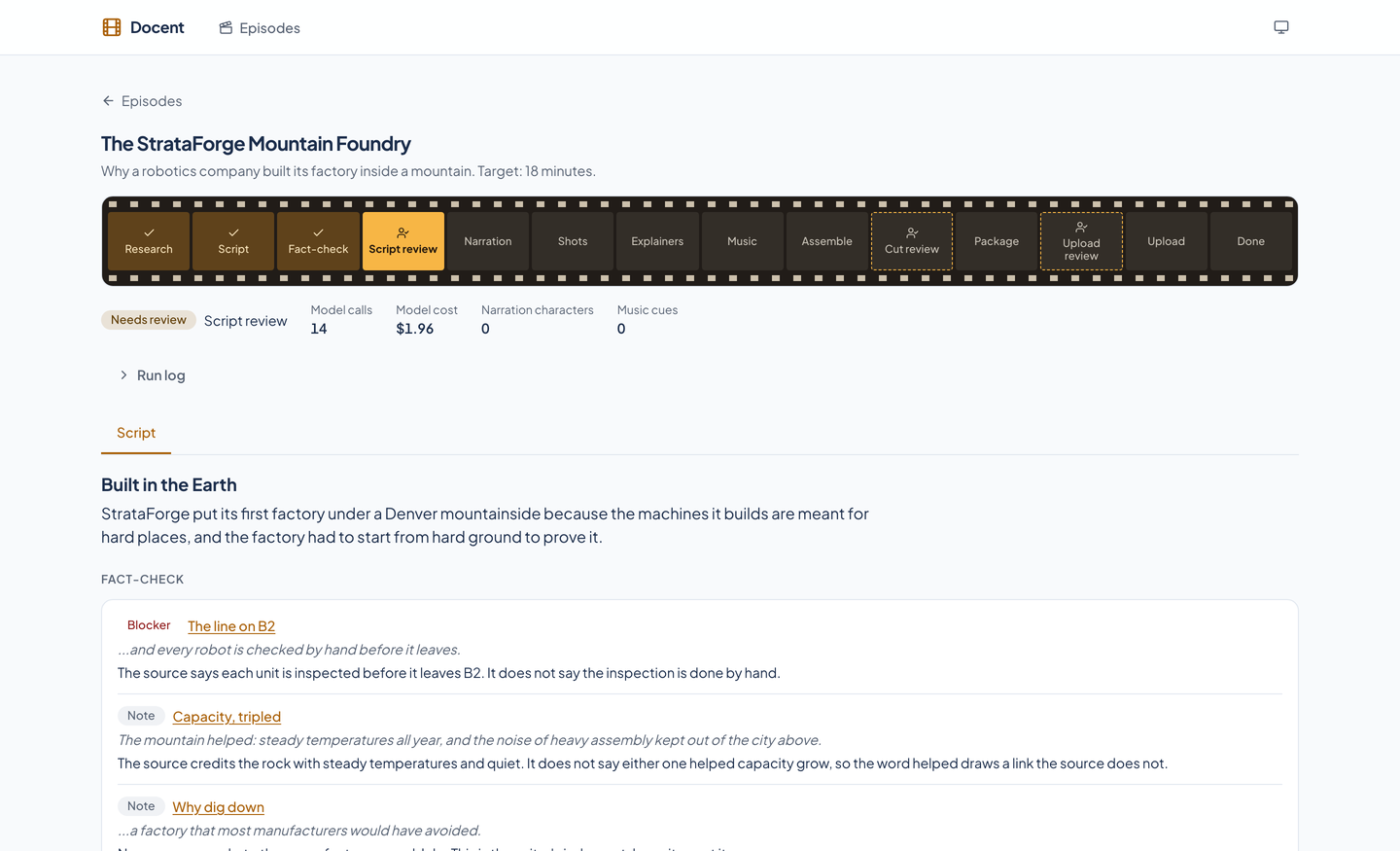
A real quote can still be stretched. The fact-check sends each scene, with only the sources it cites, to a separate call that has no tools and did not write the script. It returns blockers and notes, and blockers hold the gate until a person says they have read them.
- Sources are stored
- Research finds sources and keeps a text snapshot of each one. The writer sees only that text, so the script cannot lean on a page that has since changed or on what a model remembers.
Every claim quotes a source
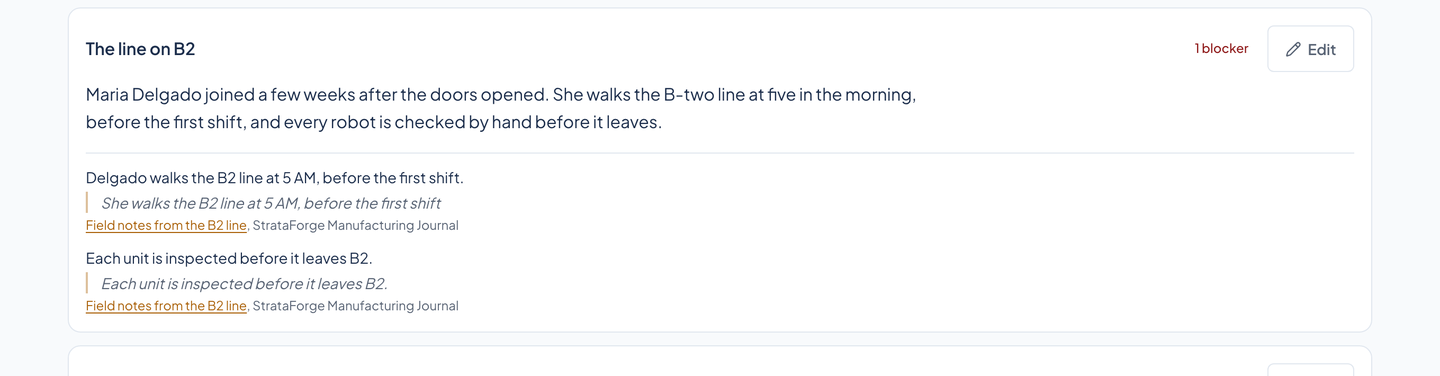
A scene's narration comes with its claims, and each claim carries a quote from a stored source, word for word. Code checks every quote against the snapshot after normalizing whitespace and quotation marks, so a made-up citation fails as a plain error instead of passing as a judgment call.
Three decisions that belong to a person
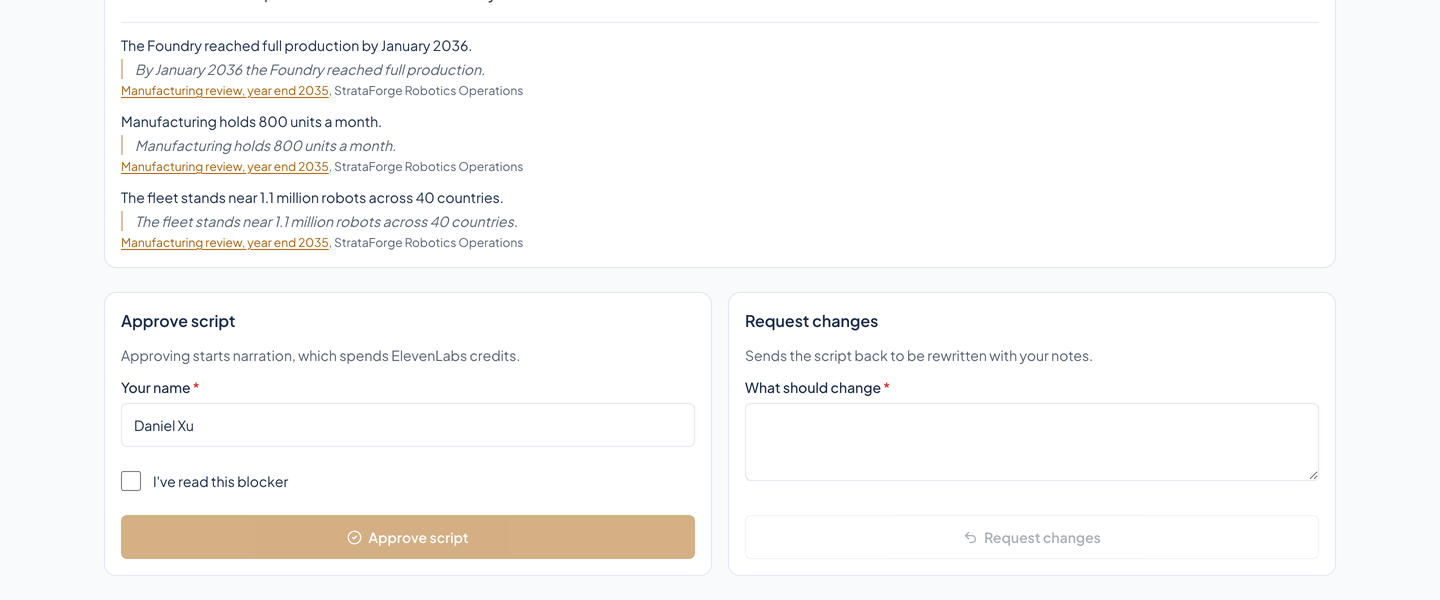
Script review
Read the script beside its sources. Edit a scene's narration, which sends the episode back to the fact-check, or approve, or send it back with notes to be rewritten. Approving starts narration, which spends credits, so nothing past this gate runs until someone says so.
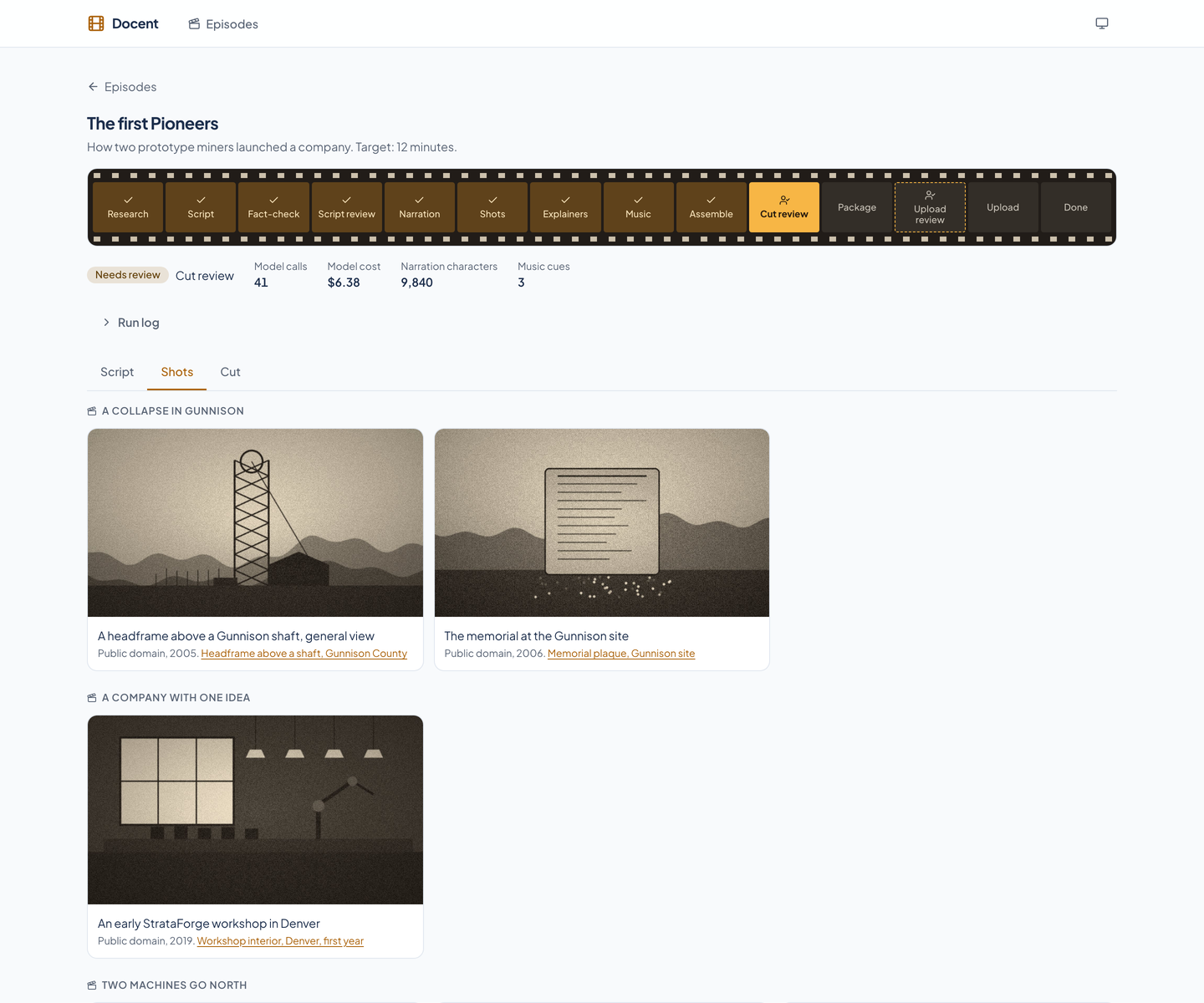
Pictures with a license record
Docent plans a shot for each narration beat, searches Wikimedia Commons, and shows a model a contact sheet of candidates. The model can only pick a numbered one, a second pass looks at the full picture and can veto it, and a vetoed beat gets one more choice and is then dropped. Every picture shows its license and source.
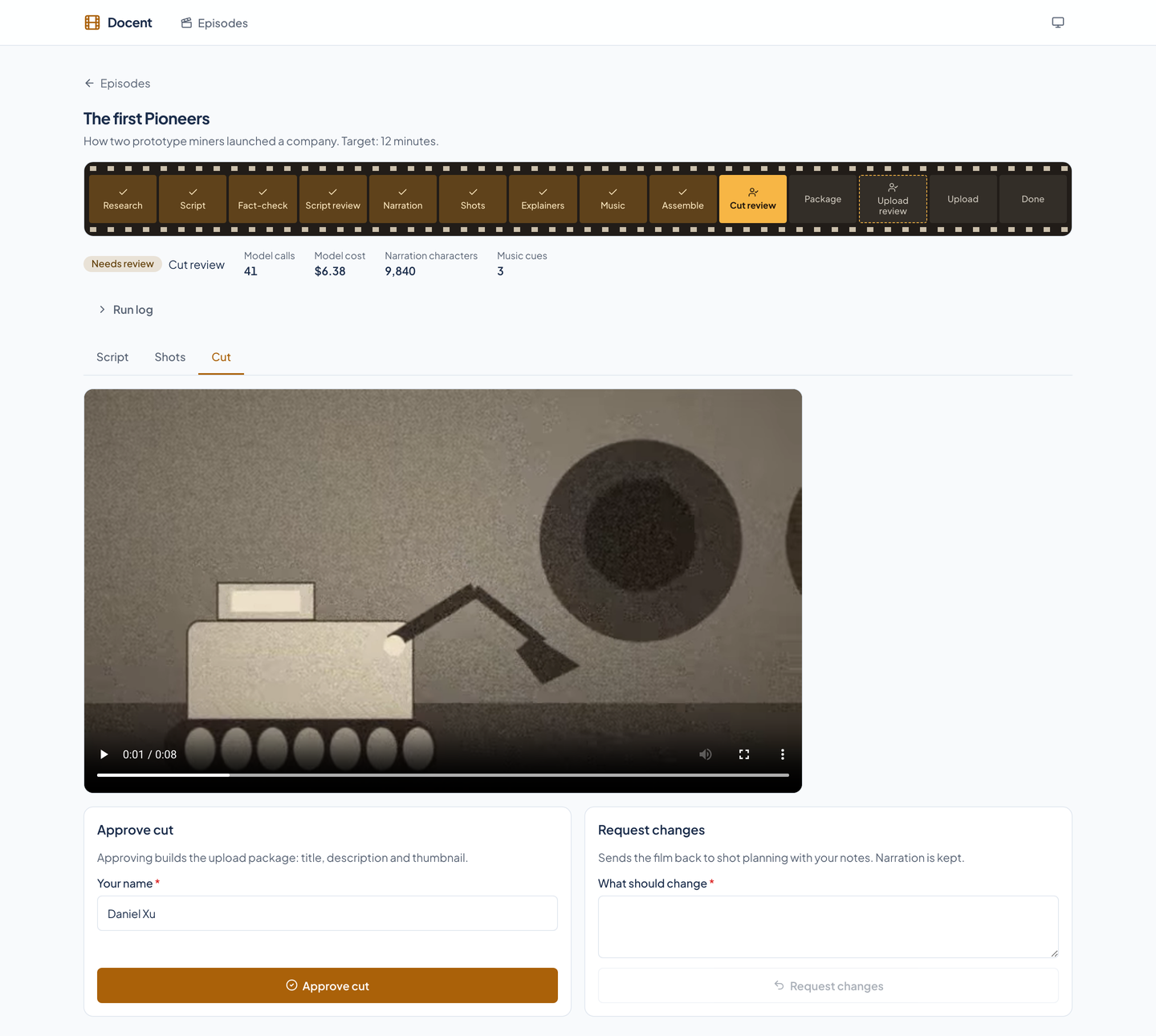
Cut review
Watch the assembled film. Approve it to build the upload package, or send it back to shot planning with notes. The narration is kept, so a change to the pictures never re-bills the voice.
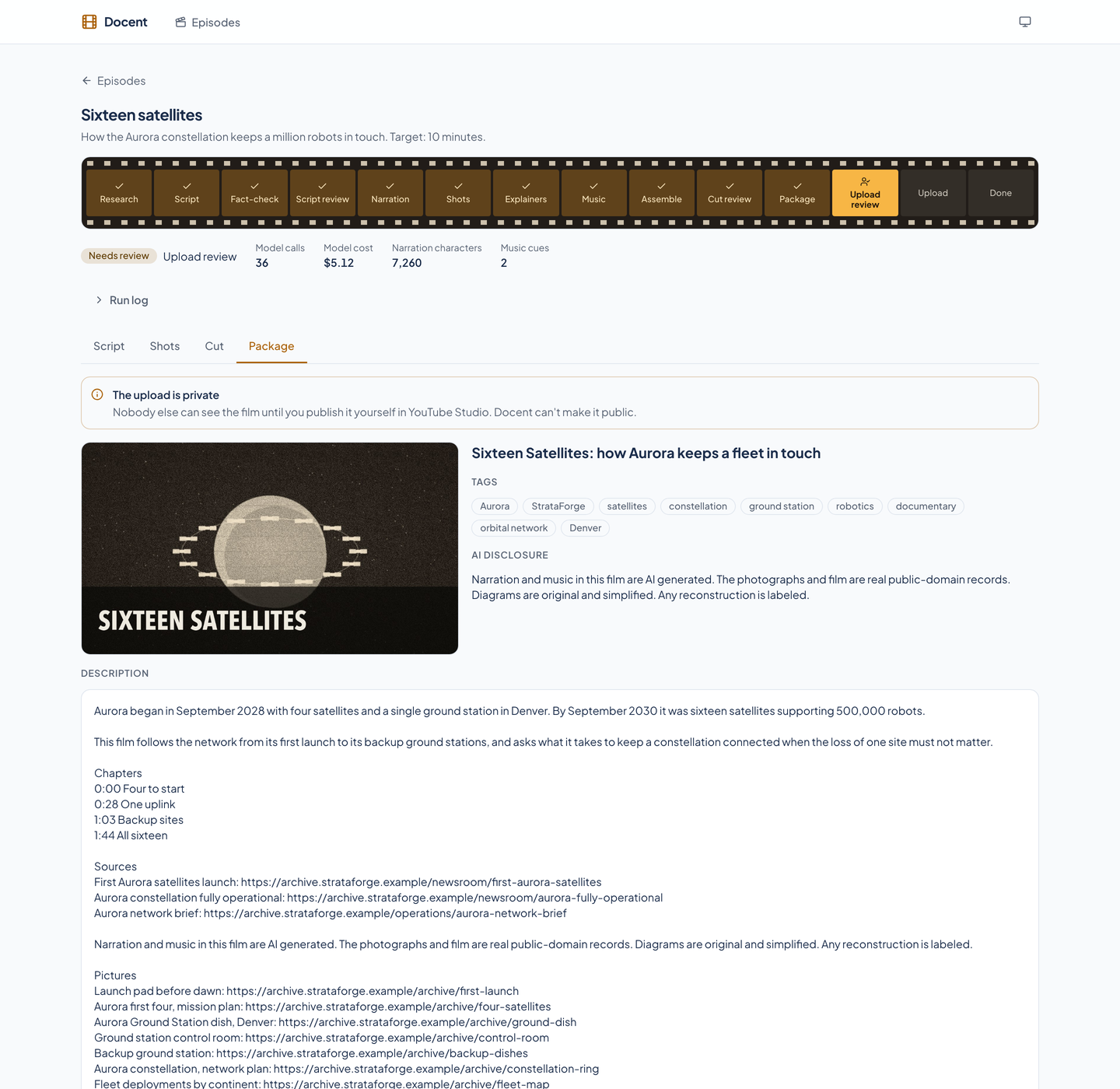
Upload review
The package holds a title, a description with chapters, sources, and picture credits, tags, a thumbnail, and the AI disclosure. Approving uploads the film and thumbnail to YouTube as a private video.
Narration is the clock
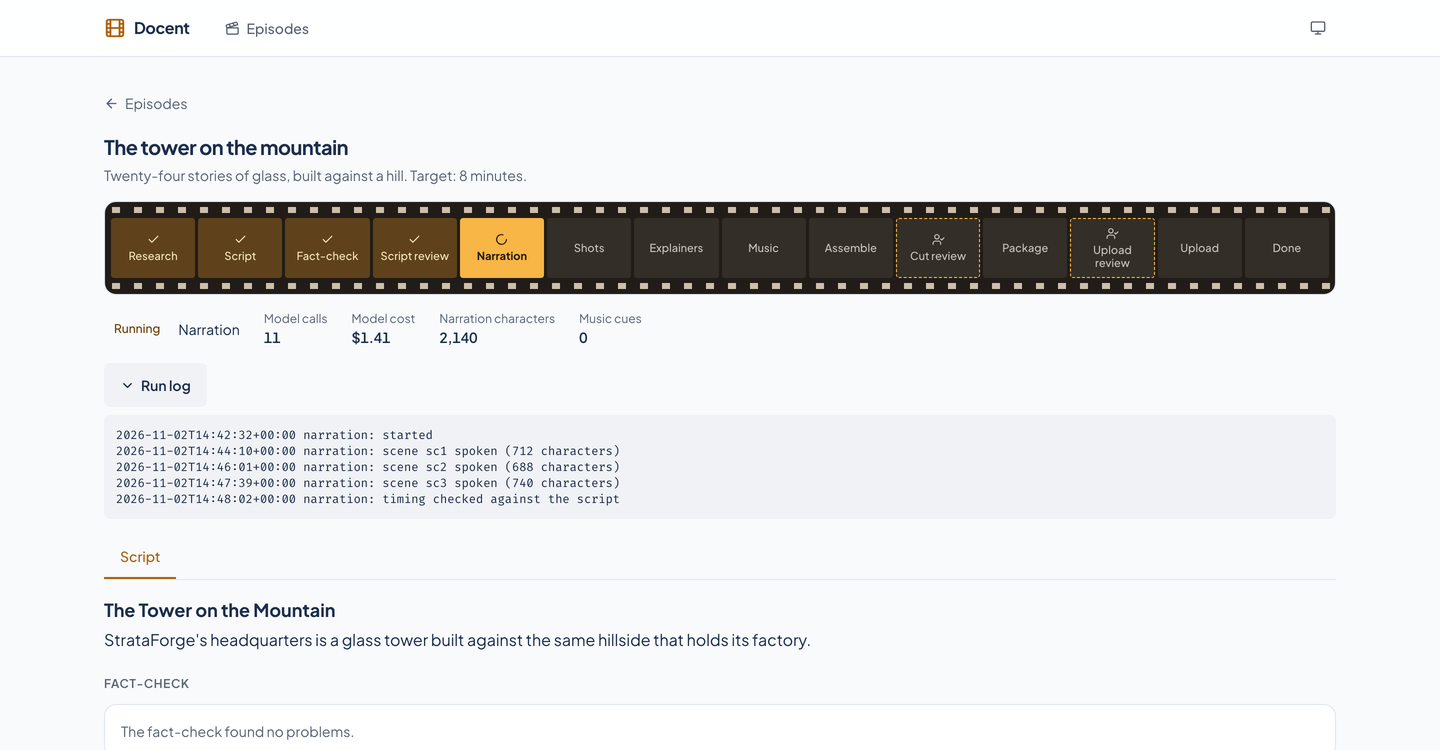
- Narration with word timing
- The script is spoken scene by scene with word timing, and only scenes whose text changed are spoken again. Each scene lasts as long as its audio, and each shot is pinned to the words it illustrates.
- Archive film, too
- Docent can download up to two archive films, sample them every six seconds, and have a model list the usable stretches. They join the contact sheet as moments, and a moment shorter than its beat is refused.
Explainers that are checked
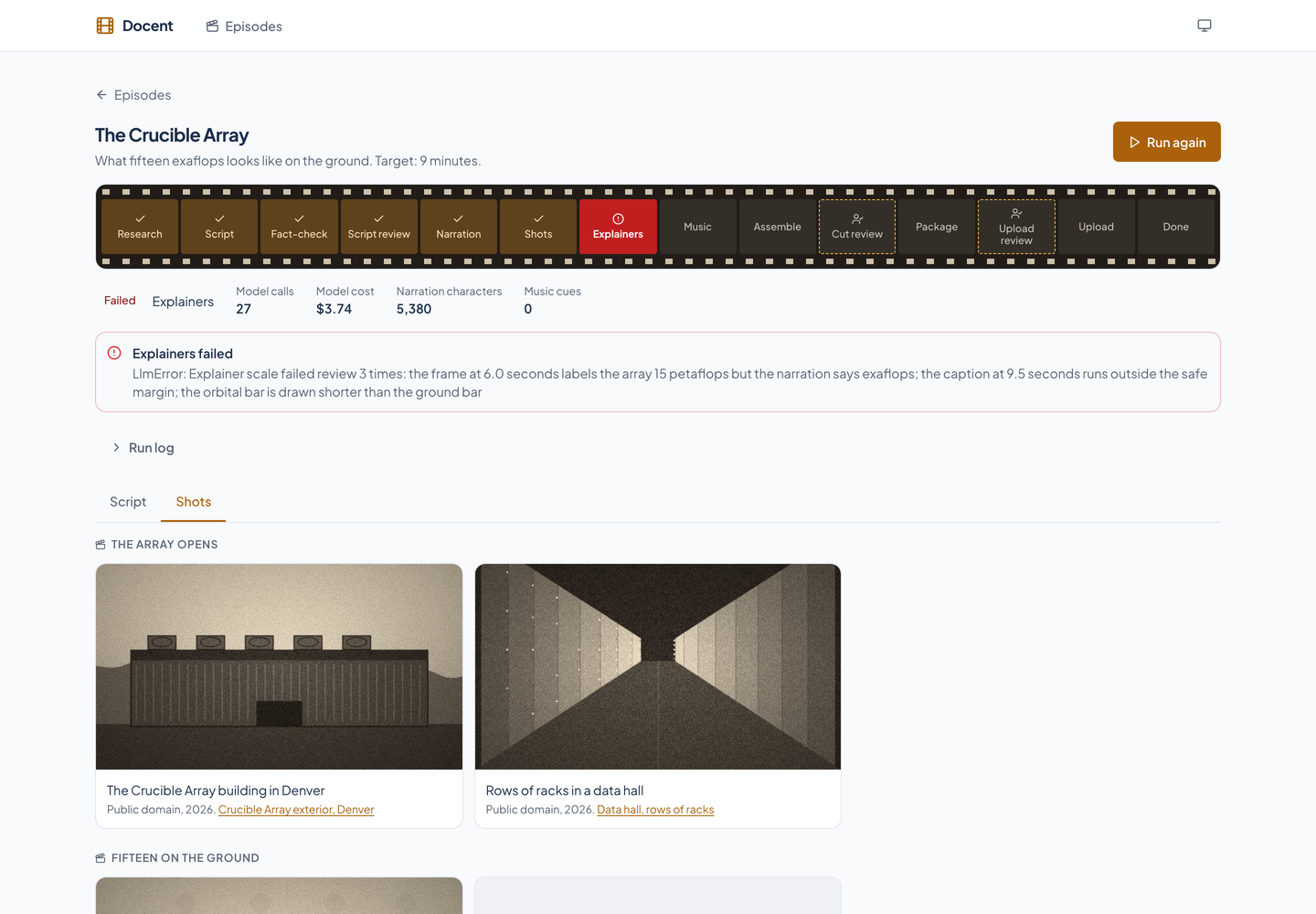
For a mechanism, a model writes an animated diagram as one HTML composition from a real example. It is linted, its frames are looked at against the narration, and a failure goes back with the reason up to three times before the stage fails.
- Music, then assembly
- An underscore covers the full film. The assembler writes a 1080p MP4 mastered to -14 LUFS, subtitles, and chapter times.
Runs that resume and cannot overspend
Stages that resume
An episode moves through a fixed list of stages and stops at each gate. A stage that fails keeps its place with the reason, running it again resumes from that stage, and finished stages never repeat. A run whose process has died is reported as failed.
Spend caps
Each episode has caps on model calls (120 by default), narration characters (60,000), and music cues (12), checked before every spend. The page shows the calls, the model cost, the characters, and the cues so far.
- A run log
- Every stage, skip, and veto is written to the episode's log, and the page shows the end of it while a run is going.
What the pipeline will not do
- Public domain is an allowlist
- A picture is used only when its own license field says public domain, and a credit that names a wire service is refused even then. A model chooses from candidates that already passed, so it cannot introduce a file.
- AI is disclosed
- The credits, the description, and the upload's synthetic-media flag all say that narration and music are AI generated.
- Uploads are private
- The upload's privacy setting is a constant, not a parameter. No code path can publish a video; a person does that, in YouTube Studio.
- Reject, don't repair
- A model answer that breaks a rule goes back with the violation. Code never patches it into shape.
From a topic to a private upload
Brief
You give a topic, an angle, a length, and any sources you already trust. Docent finds more and stores a snapshot of each.
Script and fact-check
A script is written in which every claim quotes a stored source. Code checks the quotes and a second reader checks the support.
Script review
You read it, edit it, send it back, or approve it. Narration starts only after you do.
Narration, pictures, and explainers
The voice, the public-domain pictures and film, the animated diagrams, and the music are made and checked.
Cut review
You watch the film and approve it or send it back to shot planning.
Package and upload review
A title, description, tags, thumbnail, and AI disclosure are built. You approve, and the film goes up as a private video.
Built so everyone can use Docent.
Docent's review app is built on the Renkara design system. A scripted axe-core run covers seven of its views in light and dark at phone and desktop widths, and the same run walks the keyboard on two pages and checks for sideways scrolling. An earlier run found a strip of stages that a keyboard could not scroll, links with no visible focus cue, and a heading level that skipped; all three were fixed in the app, and the run was repeated on the fixed app and found no axe violation on any of its 28 scans. Here is what the product supports today and what we have actually checked. We do not claim a WCAG conformance level for the product.
Partly supported
Keyboard operation
Every control is a native link, button, or form field, and a skip link comes first. In a scripted run, Tab walked 40 stops on the episode list and 60 on a script review, and every stop inside the page showed an outline or a ring in its computed style. At phone width the strip of stages scrolls sideways and takes keyboard focus, with a ring inside the strip, so a keyboard visitor can scroll it. We have not walked every flow with a keyboard alone.
Partly supported
Screen reader landmarks and labels
axe-core, which checks names, labels, roles, and landmark structure, found no violation on seven views in light and dark at phone and desktop width. An earlier run found a heading level that skipped on the Cut view; the review panel's headings are now level 2 under the page's level-1 heading. Docent has not been tested with a screen reader.
Supported
Contrast in light and dark
Text and controls are checked for contrast in both the light and dark themes, and the amber brand color is held to 4.5 to 1 on the card colors by a test.
Not yet tested
Reduced motion
The design system's stylesheet shortens animation when a visitor asks for reduced motion, and Docent adds none of its own. The scripted run found no running animation on the episode list with or without the setting, so it could not tell the two apart, and a running episode's status icon and the film player were not exercised.
Not yet tested
Text resize and zoom
Resizing text to 200 percent has not been tested.
Partly supported
Mobile and touch
All seven views fit a 375 pixel and a 320 pixel wide screen with no sideways scrolling of the page. At 375 pixels every control is at least 44 pixels tall except the skip link, which is hidden until it takes focus, and one 20 pixel checkbox on the script review.
Under the hood
| Application |
|
|---|---|
| Service |
|
| Media |
|
| Rules |
|
| Tests |
|
Built for agents as well as people
Docent runs an MCP server, so an AI assistant can start an episode, run it to its next gate, read everything a reviewer reads, and send an episode back with notes. 13 tools. There is deliberately no approve tool: an assistant can run an episode to a gate and no further.
Episodes
list_episodesget_episodecreate_episoderun_episode
Review
get_scriptget_factcheckget_sourcesget_planget_packageget_run_log
Decisions
request_changes
Operations
check_service_healthget_diagnostics
Questions people ask
Is Docent available to other teams?
No. Docent is internal to Renkara and is not offered for sale. This site shows what it does and how it is built. There is no sign-up on this site. Write to fleet@renkara.com with questions.
Can an AI assistant approve a film?
No, and that is on purpose. The three gates are a person's act, in the review app or at the command line. The MCP server has no approve tool, and its rules say there must never be one. An assistant can create an episode, run it to a gate, read the script, the fact-check, the sources, the shot plan, and the package, and send an episode back with notes.
Can it publish a video?
No. The upload's privacy setting is a constant, and no code path can make a video public. Docent uploads as private and says so on the page; a person publishes it in YouTube Studio.
How does it stop a script from making things up?
A claim is allowed only with a quote from a stored source, and code checks the quote word for word against the snapshot, so a made-up citation fails. A real quote can still be stretched, so a second call that did not write the script checks each scene against only its cited sources. Blockers hold the gate until a person acknowledges them.
Where do the pictures come from?
Wikimedia Commons, and only files whose own license field says public domain. A credit that names a wire service is refused even then. A model picks from numbered candidates that have already passed, and a separate pass can veto its pick, so it cannot bring in a file of its own.
Does it tell viewers the voice and music are AI?
Yes. The credits, the description, and the upload's synthetic-media flag all say so, and a test keeps the disclosure in the package.
What do the tests prove?
The rules and the plumbing: timing, citation checks, the picture rules, chapters, the spend caps, the state machine, every route, and every MCP tool. The model steps are tested against a stand-in that always behaves, so the tests say nothing about whether a real script is good or a real picture is right. The three gates exist for exactly that.
Is the data in the screenshots real?
No. Every screenshot is a capture of the running review app over five invented episodes about StrataForge Robotics, a fictional company, written into a throwaway folder. The pictures, the film frames, and the thumbnail in them were drawn by a script for this tour; none is a photograph, and none shows a person. Nothing was researched, narrated, or uploaded, because the capture had no model key and no network.
Questions about this tool?
Write to Renkara Media Group and a person will answer.